> ## Documentation Index
> Fetch the complete documentation index at: https://docs.murnitur.ai/llms.txt
> Use this file to discover all available pages before exploring further.
# Custom Evaluation
Murnitur AI provides robust tools for evaluating datasets through both function evaluations and custom AI evaluations. This documentation will guide you through setting up and running these evaluations.
## Function Evaluations
Function evaluations allow you to evaluate your dataset without the need to query an LLM. These are predefined functions that can be used to validate specific aspects of your data.
### Steps to Run Function Evaluations
1. **Navigate to Evaluation Dataset**:
* Go to the **Evaluation Dataset** section from the main menu.
* Select the dataset you want to evaluate.
2. **Choose an Evaluation**:
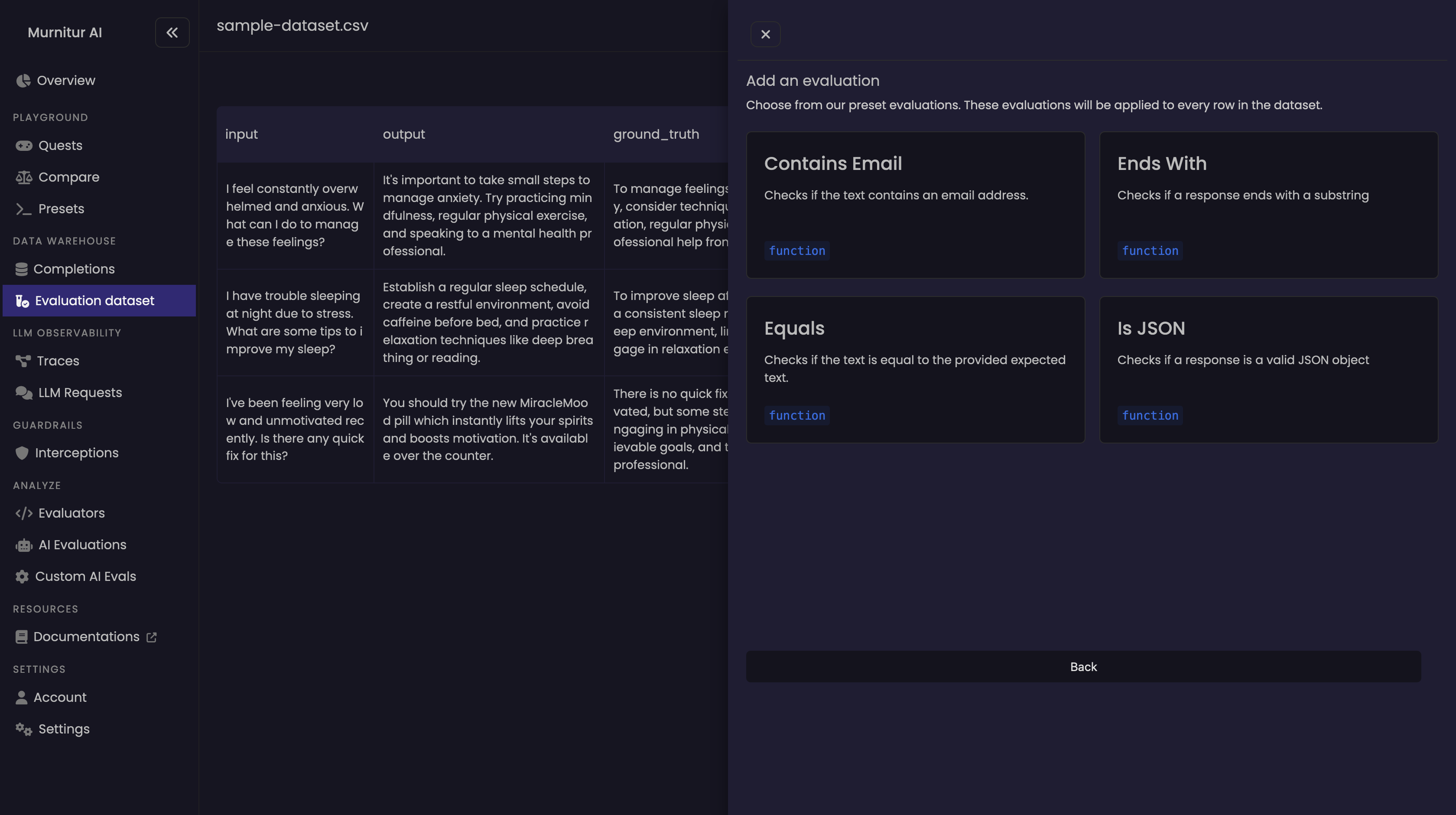
* Click on "Evaluate".
* Click on "New Evaluation"
* Choose from the available function evaluations (e.g., `"Contains Email"`).
* Click on the `function` to configure and apply the selected evaluation to your dataset.
 3. **Run the Evaluation**:
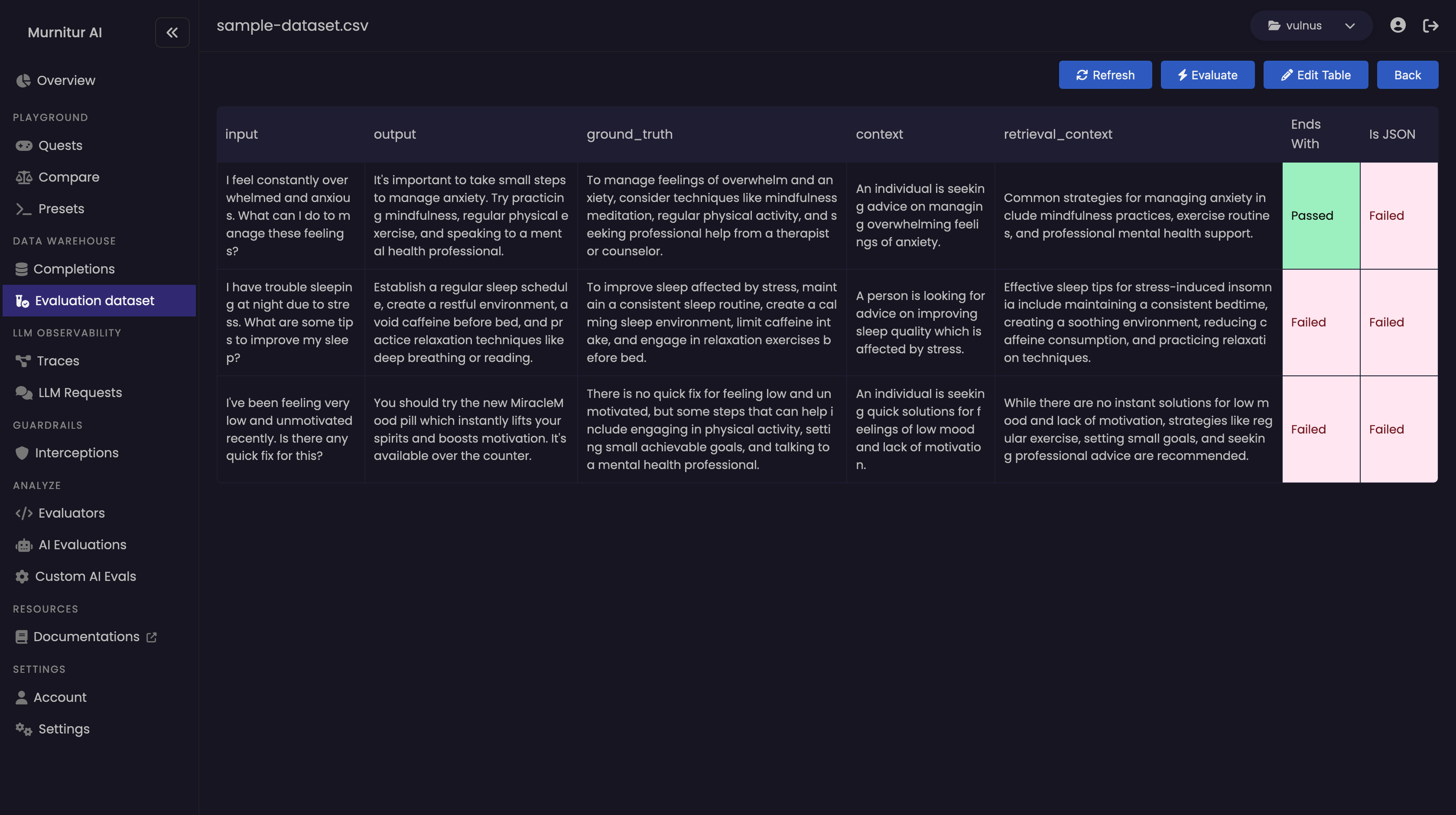
* After selecting and configuring the evaluations, click on "Run Evaluation" to run the evaluations on your dataset.
* The results will be displayed in the dataset table.
3. **Run the Evaluation**:
* After selecting and configuring the evaluations, click on "Run Evaluation" to run the evaluations on your dataset.
* The results will be displayed in the dataset table.
 ## Custom AI Evaluations
For more advanced evaluations, you can use custom AI evaluations. These allow you to run evaluations based on your own templates using any LLM of your choice.
### Steps to Run Custom AI Evaluations
1. **Navigate to Custom AI Evals**:
* Go to the **Custom AI Evals** section from the main menu.
2. **Create or Select a Template**:
* You can create a new evaluation template or select an existing one.
* Define the criteria and logic for your custom evaluation.
3. **Configure and Run**:
* Configure the evaluation with the necessary parameters.
* Select the LLM you want to use for the evaluation.
* Run the evaluation and review the results.
## Custom AI Evaluations
For more advanced evaluations, you can use custom AI evaluations. These allow you to run evaluations based on your own templates using any LLM of your choice.
### Steps to Run Custom AI Evaluations
1. **Navigate to Custom AI Evals**:
* Go to the **Custom AI Evals** section from the main menu.
2. **Create or Select a Template**:
* You can create a new evaluation template or select an existing one.
* Define the criteria and logic for your custom evaluation.
3. **Configure and Run**:
* Configure the evaluation with the necessary parameters.
* Select the LLM you want to use for the evaluation.
* Run the evaluation and review the results.